.jpg?width=125&height=125&name=INT%20Logo%20Thumbnail%20(1).jpg)
Applies to: All products and plans
From Scratch:
- Navigate to CRM > Message Templates.
- Click New template in the top right of the page, then select From scratch.
- Enter a Name and Subject, then build out your template.
Tip: Use placeholder text or highlight for sections you would edit.
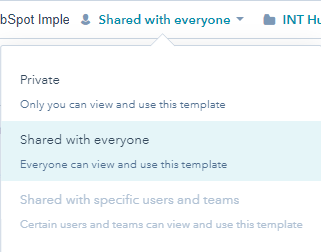
Share a Template:
HubSpot provides two options: Private and Shared with everyone.
Add a Template to a Folder:
- Open the template, Click the Select a folder dropdown menu.
- Select the desired folder.
Send a Template:
When your email template is created, you can use it to send emails from the CRM.
1. Navigate to your records:-
- Contacts: CRM > Contacts
- Companies: CRM > Companies
- Deals: CRM > Deals
- Tickets: CRM > Tickets
2. Click the name of the record.
3. In the left panel, click the Email icon.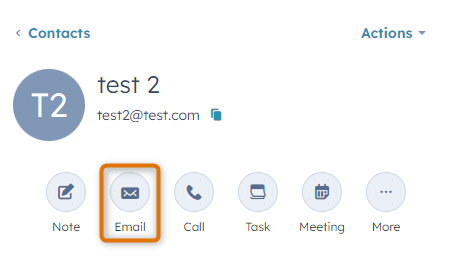
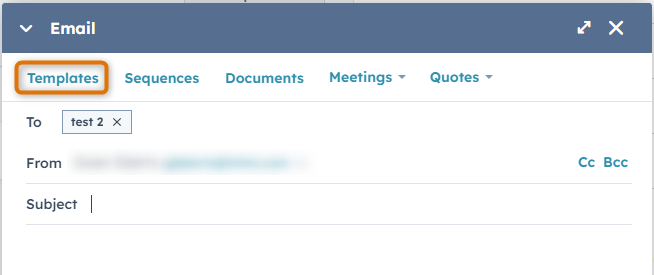
4. In the pop-up box, click Templates.